I Mined ETH in 2021, and Here’s Why You Probably Shouldn’t
Note: This post is based on my original Korean blog entries from 2021, translated and expanded for English readers.
TL;DR
- Hardware: Gaming laptop with NVIDIA RTX 3060
- Hash rate: 37-40 MH/s average
- Peak earnings: ~$180/month (May 2021)
- Current earnings: ~$60-70/month (Dec 2021)
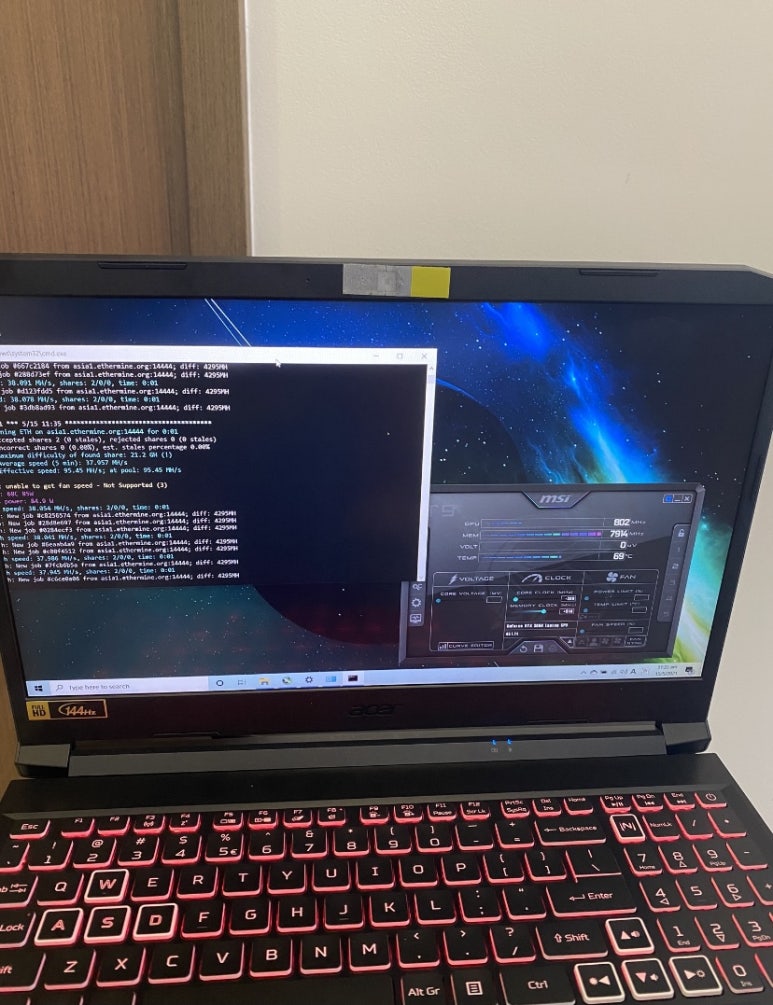
- Temperature: 66-74°C with proper cooling
- Verdict: Worth it if you have good GPU specs and idle time
How It All Started
Earlier this year, I was looking for a new laptop for trading stocks and music production (FL Studio). As a MacBook Air user who occasionally boots into Windows for banking, I needed something more powerful.
While browsing for high-spec laptops, I came across this viral image of Chinese laptop mining farms:
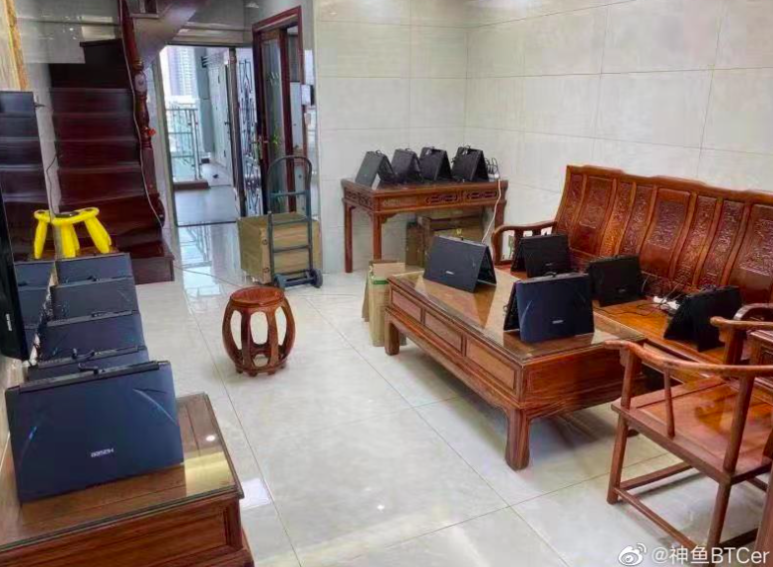
That’s when it hit me: “Why not mine when the laptop is idle?”
The Setup Process
Hardware Specs
- GPU: NVIDIA RTX 3060 (laptop version)
- Mining software: PhoenixMiner
- Pool: Ethermine
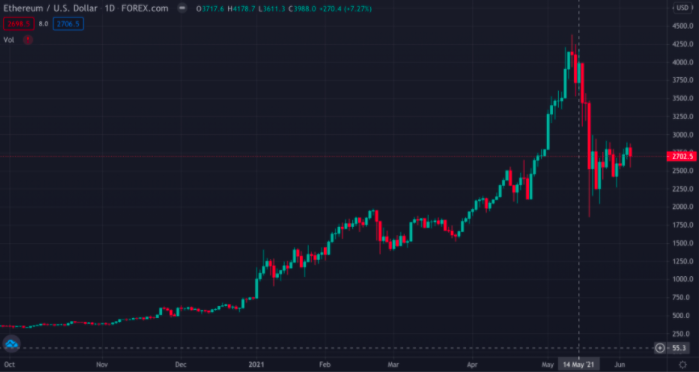
Getting Started
After watching YouTube tutorials and connecting my wallet to Ethermine, I finally got my mining rig running. I even named my mining worker “Dobby”
Mining Performance & Earnings
Hash Rate Performance
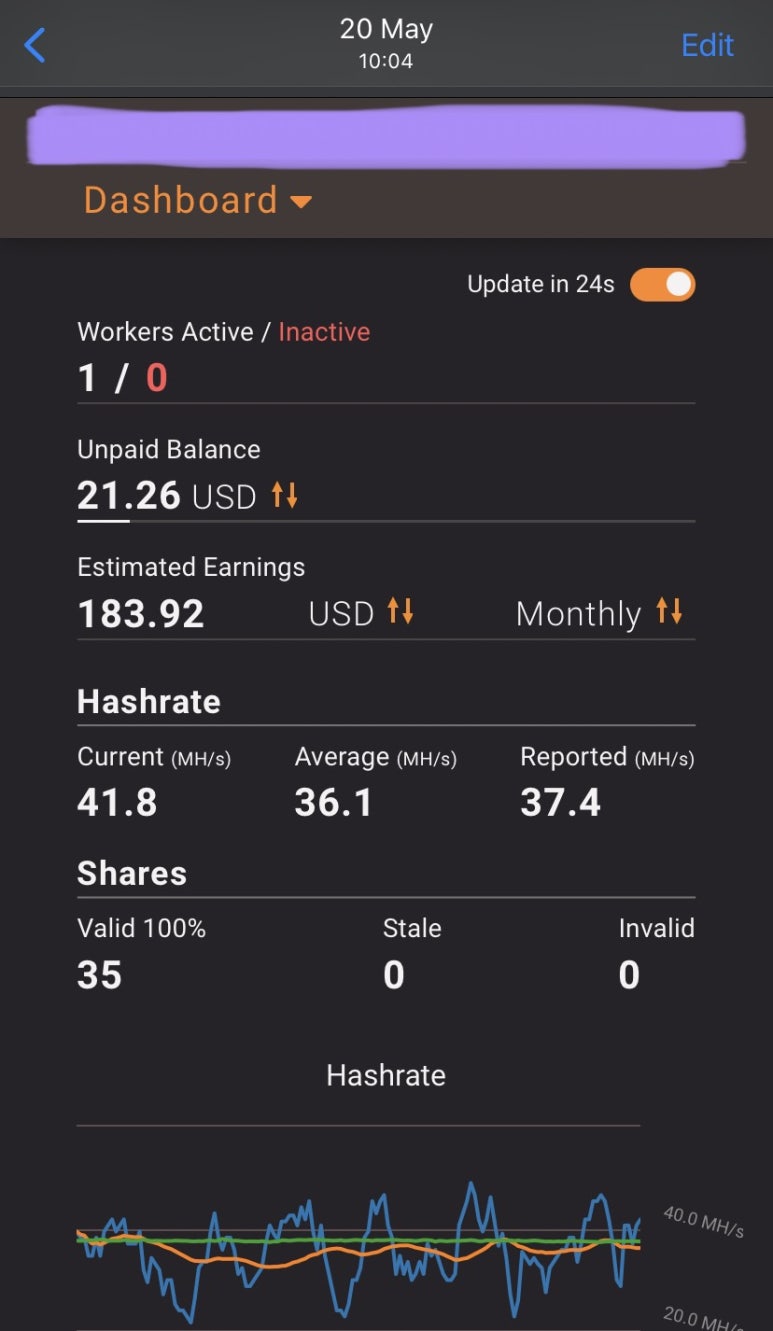
The RTX 3060 laptop consistently delivers 37-40 MH/s, which is pretty solid for a laptop GPU.
Earnings Timeline
May 2021 (Peak ETH prices):
- Expected monthly earnings: ~$180
- Thought: “I’ll recover the laptop cost in just a few months!”
December 2021 (Reality check):
- Monthly earnings: $60-70
- ETH price crashed to 1/3 of peak values
Temperature Management
Normal Operation
- Temperature range: 66-74°C
- Fan noise: Noticeable but not overly annoying
- Setup: Laptop on a stand (crucial for airflow)
The Dust Crisis
A few weeks ago, temperatures spiked to 80°C+!
Upon inspection, the laptop was clogged with dust. Had to:
- Disassemble the back panel
- Clean the fans thoroughly
- Reassemble everything
Warning: Dusty fan photos ahead!
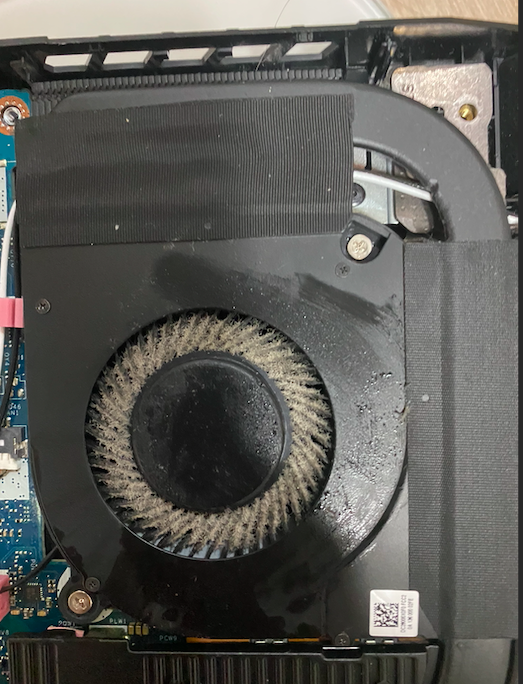
Post-cleaning, temperatures returned to normal ranges.
Power Consumption & Costs
While I haven’t seen the electricity bill impact yet, the laptop draws reasonable power for a mining setup. The convenience of having an all-in-one device outweighs desktop alternatives.
Is Laptop Mining Worth It?
✅ Pros:
- Passive income while laptop is idle
- No additional hardware needed (monitor, keyboard, etc.)
- Compact setup compared to desktop rigs
- Learning experience about blockchain technology
❌ Cons:
- Volatile earnings based on crypto prices
- Heat generation requires proper cooling
- Fan noise during operation
- Potential hardware wear over time
My Recommendation
Yes, if you have:
- High-end GPU (RTX 3060 or better)
- Significant idle time
- Proper cooling setup
- Realistic expectations about earnings
No, if you:
- Expect guaranteed profits
- Can’t tolerate fan noise
- Have poor GPU specs
- Need the laptop for intensive tasks
Looking Forward
With Ethereum’s upcoming changes and potential shift to Proof of Stake, mining profitability will likely decrease further. However, the experience has been valuable for understanding:
- Cryptocurrency mechanics
- Hardware optimization
- Market volatility
The ETH I’ve mined is staying in my wallet for now - treating it as a long-term investment rather than immediate income.
Update: The Luna Disaster
Note: Later invested mining proceeds in Luna-related tokens… which didn’t end well. Crypto lesson learned the hard way!
📌 Navigation
Previous: DeFi, NFT, and DAO Explained Simply